
SUPPORT
We're here to help!
Get quick answers, raise a support ticket, or chat with our team.
We're committed to making your PaperTalks experience smooth and joyful!
Help Center
Find answers instantly
Raise a Ticket
Get dedicated support
Live Chat
Chat on WhatsApp
Call Us
Mon - Sat, 9 AM - 7 PM
Little Stories
Big
Tomorrows! ♡
Big
Tomorrows! ♡
Happy
Children.
Stronger
Futures.
Children.
Stronger
Futures.
Popular Support Topics
Device Setup
How to set up and get started
Story & Content
Managing stories and downloads
Connectivity
WiFi, offline use and syncing
Orders & Payment
Pricing, orders and invoices
Warranty & Repair
Device care and warranty support
Raise a Support Ticket
Tell us about your issue and we'll get back to you soon.
First time using PaperTalks?
Check out our step-by-step guides and video tutorials to get started quickly.
Track Your Support Ticket
Enter your Ticket Number (e.g. #PT-4001) or registered email
Knowledge Base & FAQ
Guides and answers for PaperTalks storytelling devices
How do I reset my password?
To reset your password, go to the login screen and tap "Forgot Password". Enter your email address and we will send you a secure link to create a new password.
How do I connect the PaperTalks device to Wi-Fi?
Open the PaperTalks mobile app, go to Settings, and select "Device Settings". Tap "Connect Wi-Fi" and follow the on-screen instructions to scan the QR code and pair your device with your home network.
How do I cancel my Premium Membership?
You can cancel your Premium Membership at any time. Go to your Profile > Membership Hub > Manage Subscription, and tap "Cancel Subscription". You will retain premium access until the end of your current billing cycle.
My device is not playing stories
If your device isn't playing stories, please make sure it is fully charged. If the battery is good, hold the power button for 10 seconds to force restart the device. Also, verify that it is connected to Wi-Fi so it can sync your latest library additions.
What is PaperTalks?
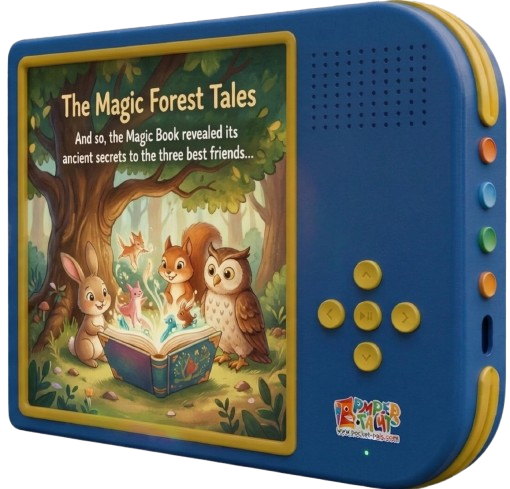
PaperTalks is a smart storytelling device for kids that brings physical storybooks to life. By pairing the device with our mobile app and story packs, kids can listen to high-quality audio narration while following along with physical paper books.
How do I charge my PaperTalks device?
The PaperTalks device uses a standard USB-C charging cable. Simply plug it into a 5V adapter. A full charge takes approximately 2 hours and provides up to 8 hours of continuous storytelling play. The LED will turn green when fully charged.
Frequently Asked Questions
How long does delivery take?
Orders are dispatched within 1–2 working days. Metro cities usually receive them in 2–4 working days and other locations in 4–7 working days.
How do I connect the PaperTalks device to Wi-Fi?
Open the PaperTalks app, choose Add device, and follow the on-screen steps. The device only needs Wi-Fi to receive new stories — playback works completely offline.
How many stories are preloaded?
Every device arrives with 25+ stories already loaded, worth ₹1,499.
Is my payment secure?
Yes. Payments are processed by PCI-DSS compliant partners over 256-bit encryption. Card details never touch our servers.
Didn't find what you need?
Ticket Submitted Successfully!
Your support ticket has been received by our customer success team.
Ticket Number
Please keep this ID for tracking your inquiry.
PaperTalks Video Tutorials
Quick video guides to help you make the most of your device
Unboxing & Initial Setup
How to charge, power on, and link your account (3 mins)
Connecting to Home Wi-Fi
Step-by-step wireless pairing for automatic story updates (2 mins)
Downloading New Story Packs
Browsing the catalog and syncing offline stories (4 mins)
PaperTalks User Manual (PDF)
Download the complete illustrated owner's guide including controls, battery care, and safety guidance.
Download Official Guide (PDF)